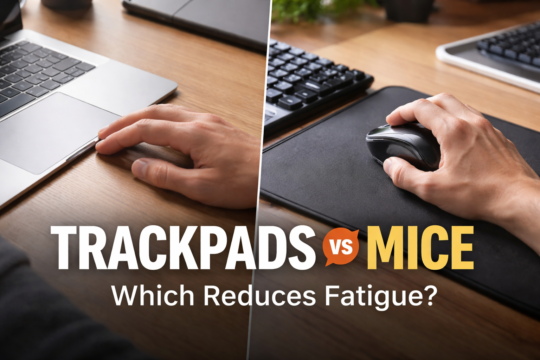
The debate between trackpads and mice usually gets framed around precision or speed. That misses the more important question for most people: comfort over time.
Whether an input device feels fine during the first ten minutes matters far less than how your hand, wrist, and shoulder feel after hours of real work. And just like keyboards, the “better” option depends heavily on how you work and what your body is used to.
The Real Limitation of Trackpads: Space
The biggest limitation of trackpads isn’t accuracy — it’s real estate. The pad is fixed in size, and that size dictates how much physical movement you can translate into on-screen movement.
You notice it immediately. It’s right there when you first pick up a laptop, staring back at you as if to say, “This is all you get.” For light browsing, that’s fine. For anything more demanding, the constraints show up quickly.
Why Trackpads Work Best for Light Interaction
Trackpads work best when interaction is light and intermittent. Scrolling, clicking links, switching apps, and casual navigation all fit comfortably within a small surface area.
They also encourage a more stationary posture, which can feel comfortable for short sessions or mobile use. But that same limitation becomes a bottleneck when tasks require sustained precision or wide cursor movement.
Where Mice Pull Ahead for Real Work
Once work becomes spatial — spreadsheets, timelines, design tools, or multi-monitor setups — the mouse starts to make more sense. Cursor movement is no longer confined to a small pad. It scales with your workspace.
Instead of constantly lifting, repositioning, and re-centering, movement becomes continuous. That continuity matters over long sessions.
I use a wide mouse pad that spans both my keyboard and mouse. The mouse has room to move, and that space matters. Navigating dual displays feels effortless, like riding a small moped down open lanes with no traffic.
The work stays on the screen instead of collecting in my wrist.
Fatigue Isn’t About the Device Alone
Fatigue doesn’t come from using a mouse or a trackpad in isolation. It comes from repetition, constrained movement, and sustained tension over time.
Trackpads tend to concentrate motion into small, repeated gestures. Mice distribute that motion across the hand, arm, and shoulder. For many people, that distribution reduces strain during long work sessions.
So Which One Should You Use?
- If your work is light, mobile, and short in duration, a trackpad may feel perfectly fine
- If your work spans large screens, dense interfaces, or long sessions, a mouse usually scales better
- If fatigue builds over time, the issue is often constrained movement rather than precision
Final Thought
Trackpads aren’t obsolete, and mice aren’t relics. They serve different kinds of movement. The moment your input device starts to feel cramped, your body is telling you something important.
Comfort isn’t about what looks modern or convenient at checkout — it’s about how freely you can move while you work.